Reelabel Overview
Reelabel is my personal Windows desktop application for organizing movie and TV videos. It combines metadata lookup, editable details, saved naming profiles, embedded tagging, and video conversion. The workflow starts with a preview: importing a file never writes tags, renames it, or starts conversion.
Status: private development preview, built with C# / WPF and .NET 10 for Windows x64. There is no public download, installer, signing, or automatic update service. The source repository is private.
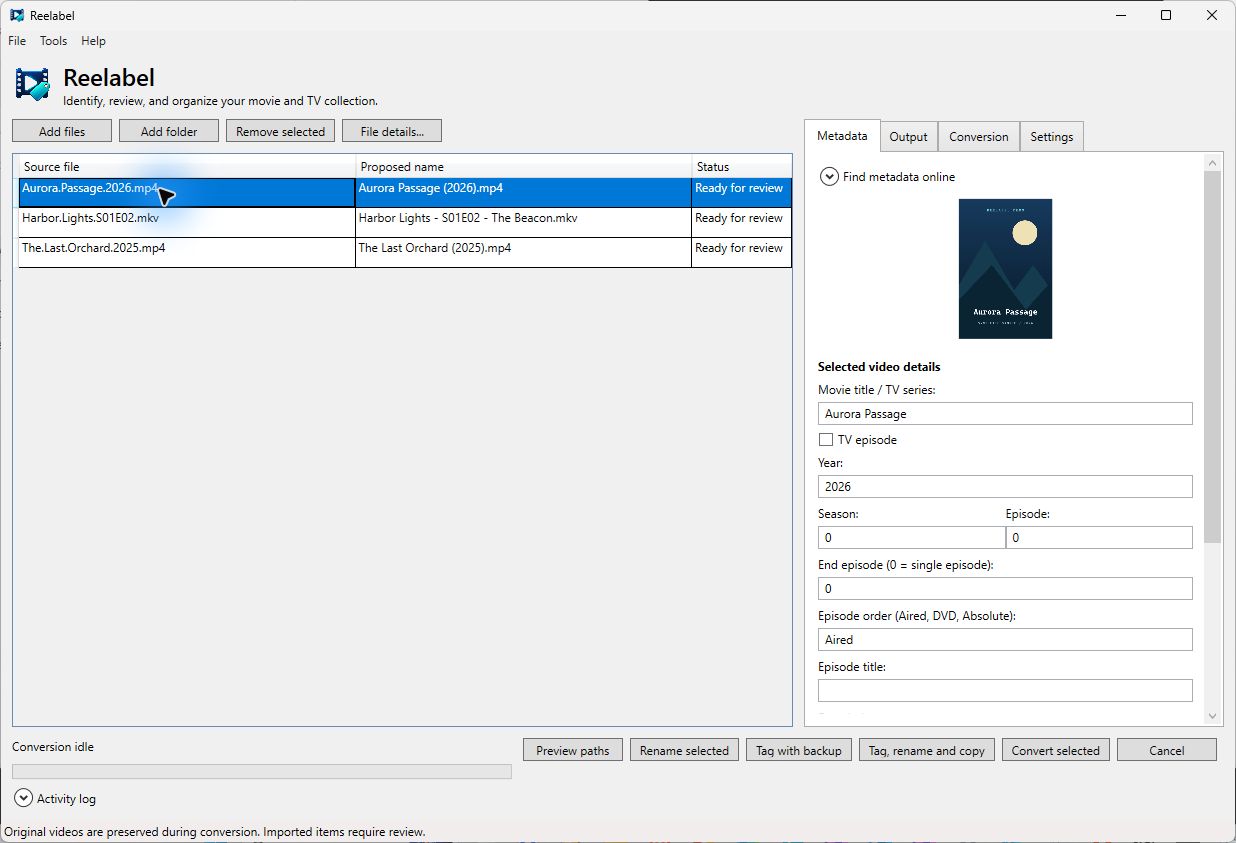
Desktop capture with disposable synthetic media and manually supplied demo metadata/artwork. Explore the screen tour for workspace tabs and editors.
What you can do
| Task | Where to learn more |
|---|---|
| Find movie and episode details through TMDB, TheTVDB, or local IMDb datasets | Metadata and credentials |
| Save separate movie and TV folder and filename conventions | Naming profiles |
| Set batch encoding defaults and test a short clip | Encoding and previews |
| Create tagged copies, rename files, or restore backups | File operations and recovery |
| Find every menu, tab, and editor | Screen tour |
A typical session
- Add videos, a folder, or drag files into the workspace.
- Review identification, episode order, artwork, and track selections.
- Choose a naming profile and inspect complete destination paths.
- Create tagged copies, or choose the separate rename, tag, or conversion action.
- Check the activity log and output folder after completion.
Conversion and the combined tagged-copy action preserve source videos. A standalone rename changes source paths and records recovery information; standalone tagging edits a source file after making a backup.
Live authenticated provider coverage, real network shares, and every hardware driver have not been comprehensively validated. Synthetic tests verify many file-preservation, metadata, preview, and recovery paths; they do not guarantee identification or playback in every player.
Start with Quick Start, or visit the portfolio page.