Screen Tour
Main workspace
Desktop captures were taken on 2026-10-04 with isolated application state and disposable synthetic media. Titles, metadata and illustrative posters were supplied manually; they are not live provider results. Credential fields are empty. Two invalid batch examples are WPF UI-check renders, labeled below. There are no personal media or account credentials in these images.
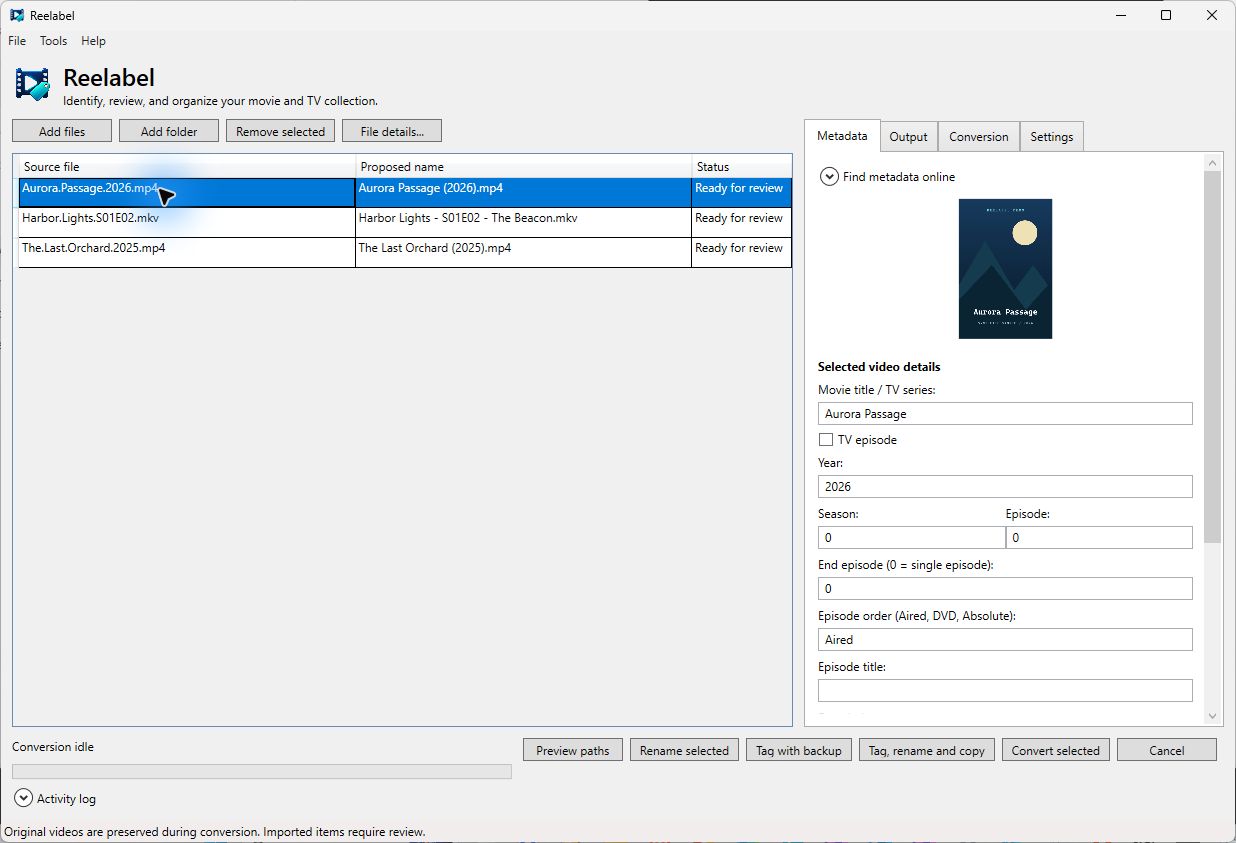
The file list stays on the left; the selected file's settings are on the right. Add files or folders, select one or more rows, and use the bottom action bar. Expand Activity log for session progress and errors.
| Tab | Contents |
|---|---|
| Metadata | Provider selection, saved credentials, search/match review, artwork, and editable movie/TV details |
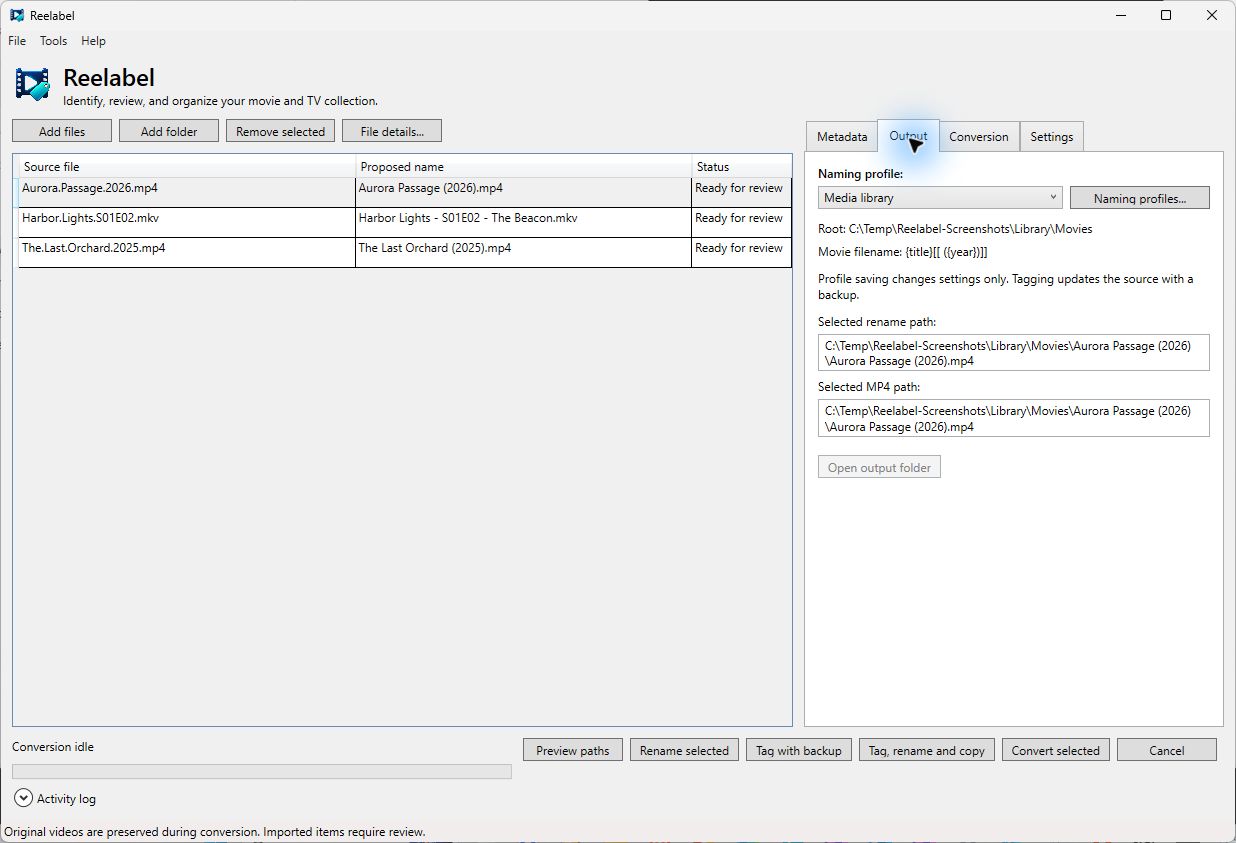
| Output | Active naming profile, profile editor, selected rename/MP4 paths, and Open output folder |
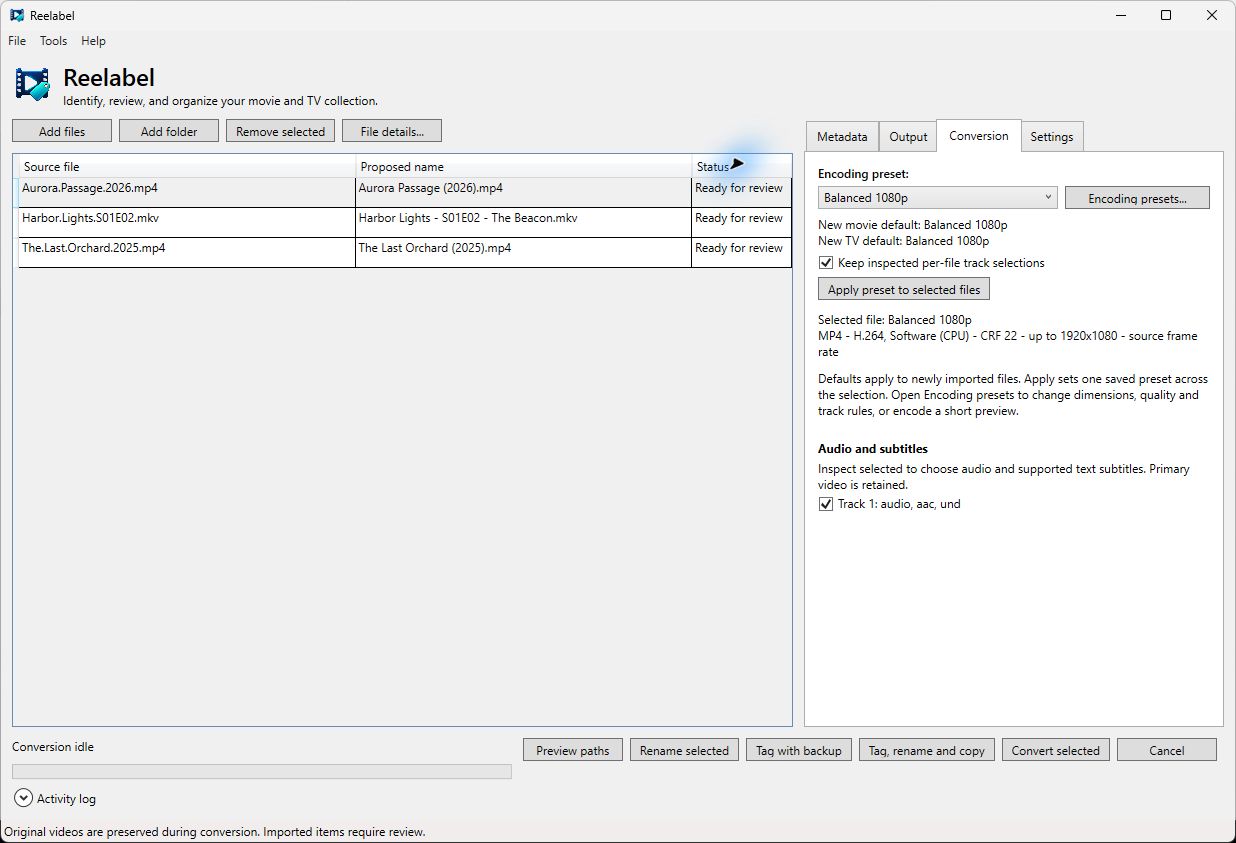
| Conversion | Encoding preset, editor, batch application, and inspected audio/subtitle choices |
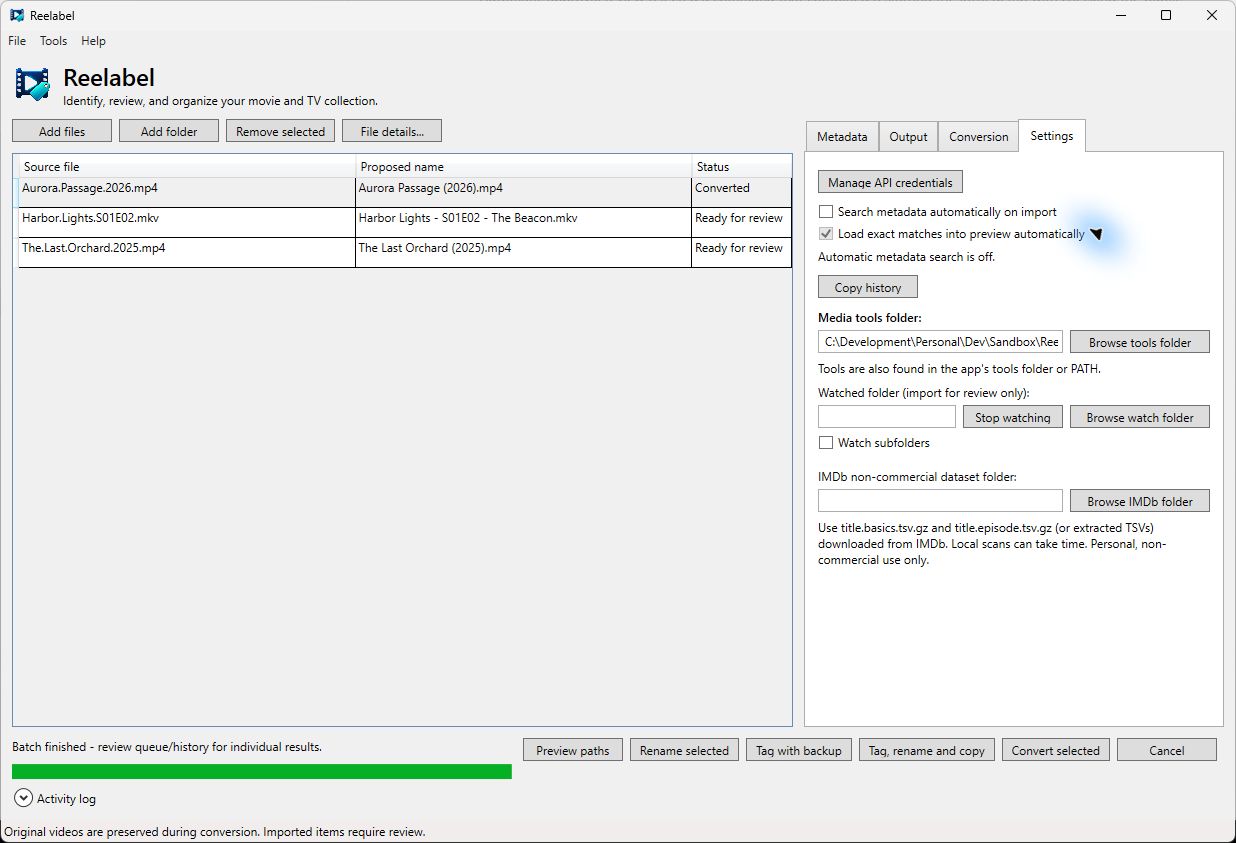
| Settings | Automatic lookup options, credentials shortcut, Copy history, tool/watch folders, and local IMDb folder |
Menus
| Menu | Commands |
|---|---|
| File | Add files, Add folder, Remove selected |
| Tools | Inspect selected, Preview paths, Undo rename, Restore tag backup, Discard rename recovery, View queue/history, Retry unfinished queue |
| Help | About / credits |
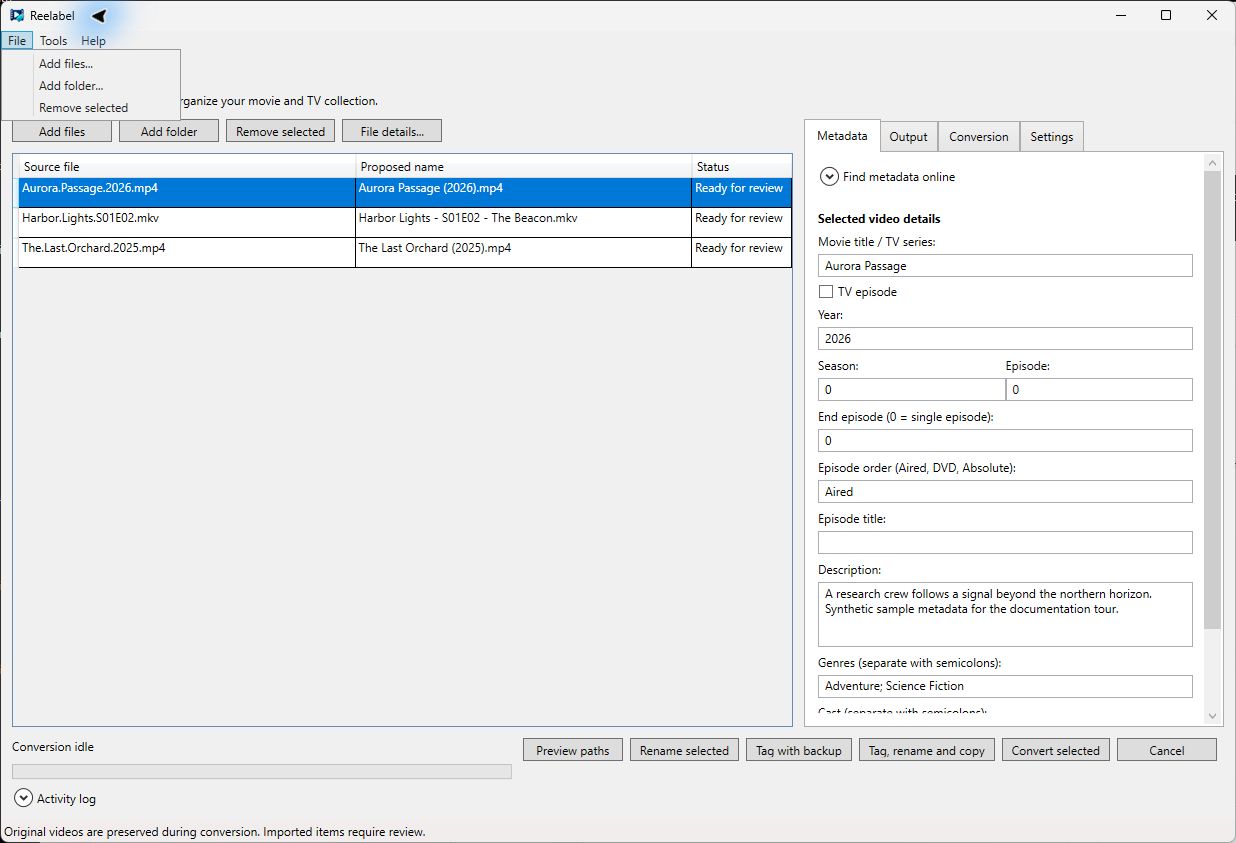
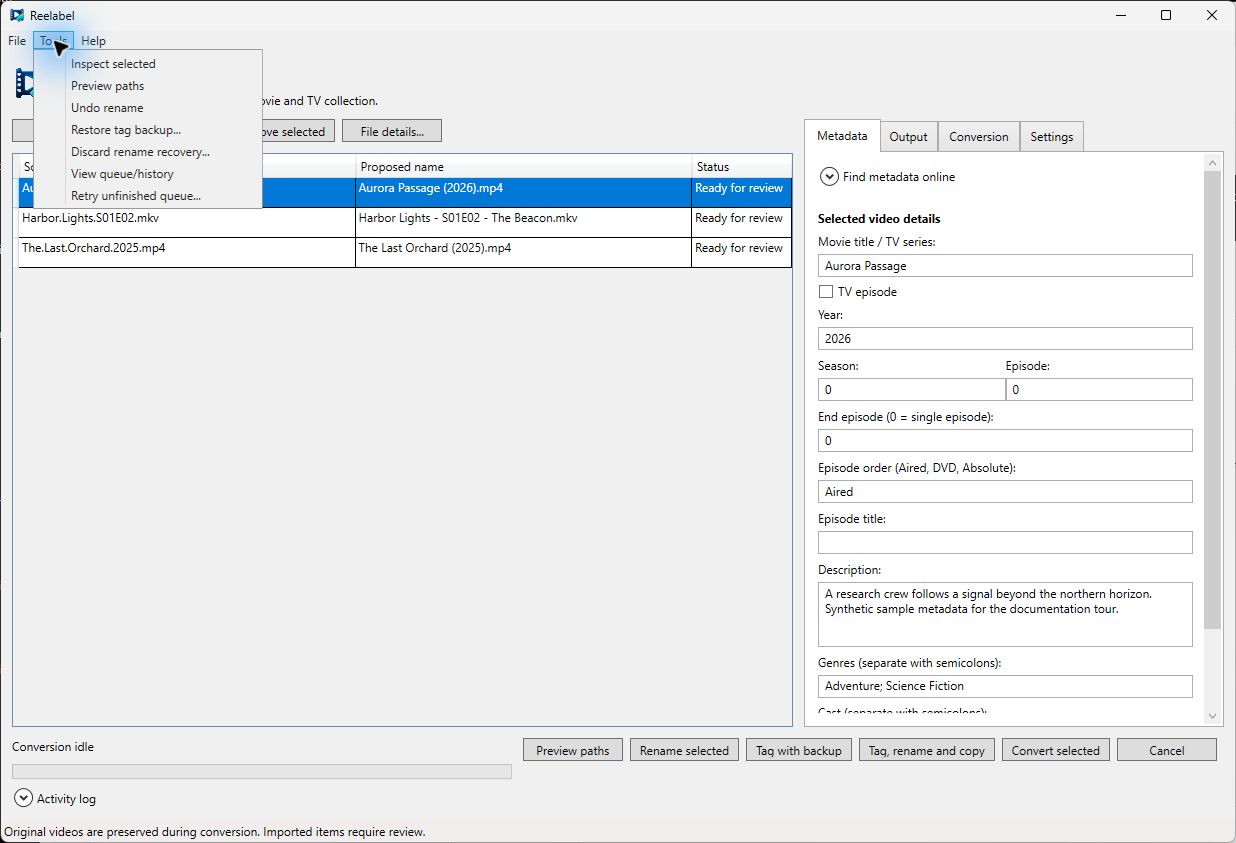
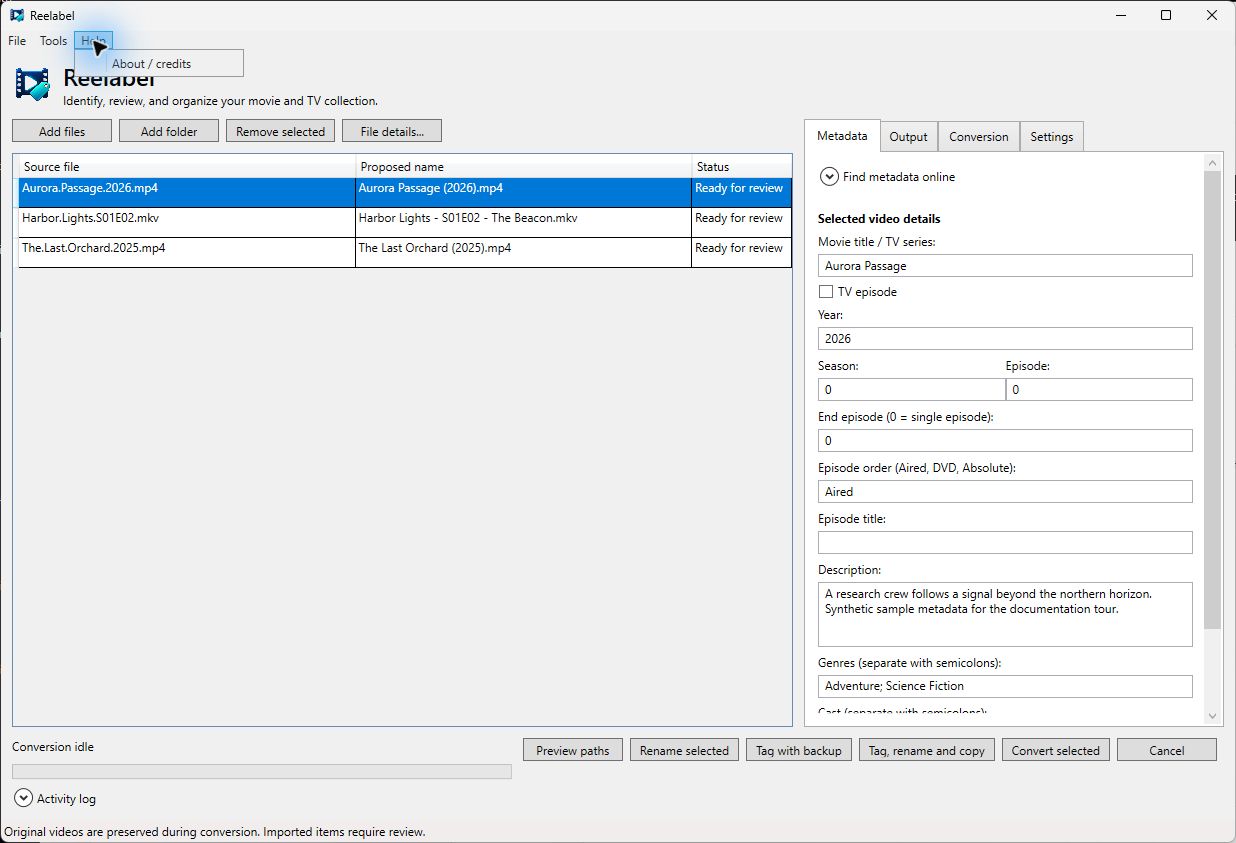
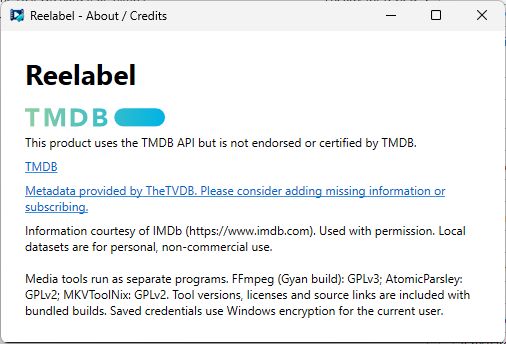
Remove selected removes a library entry, not its underlying video. Inspect reads streams. Recovery and retry commands require review; see file operations. About / credits includes provider attributions and tool/license information.
Selected file details
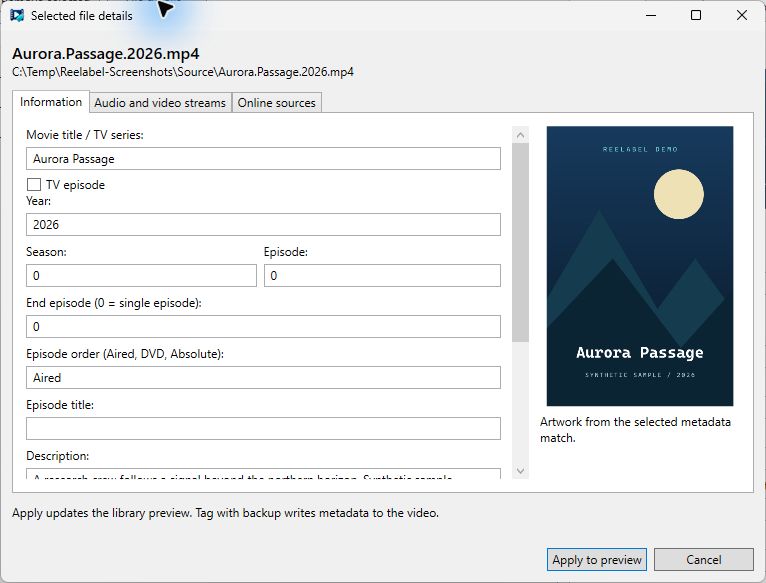
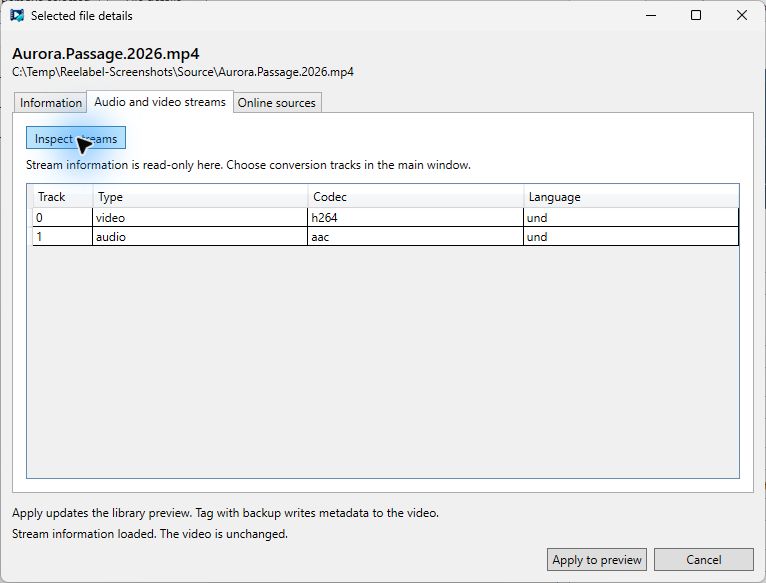
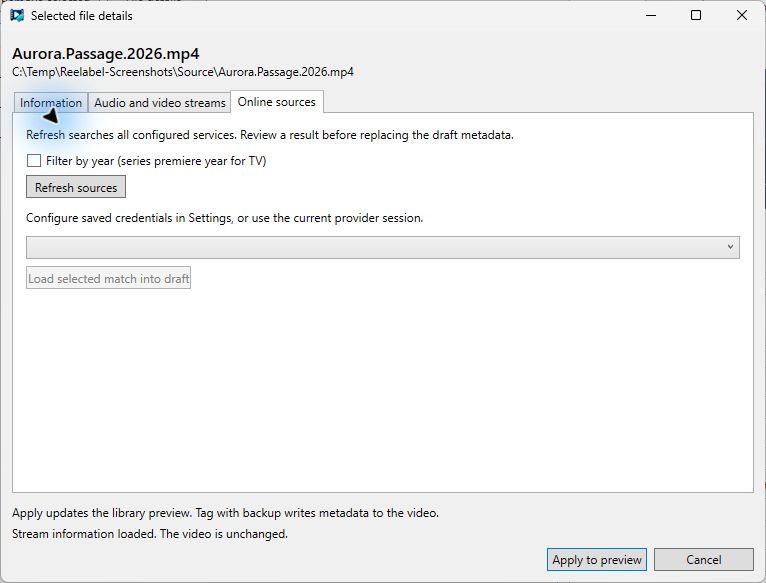
File details... opens a larger editor. Information holds movie/TV fields and artwork. Audio and video streams shows inspection results. Online sources refreshes configured sources and loads a chosen candidate into the draft. Apply to preview saves staged details to the library; Cancel discards them. Embedded tags require a separate file action.
Provider controls
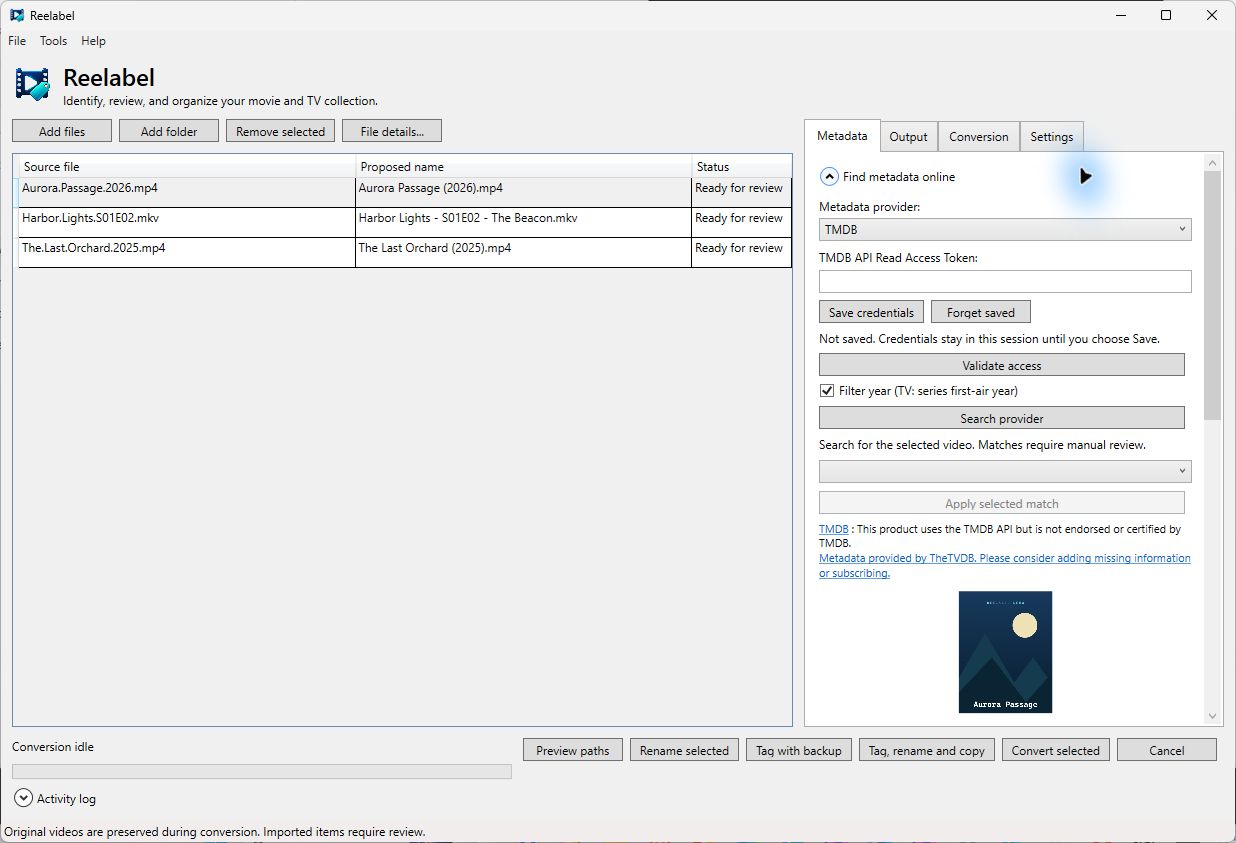
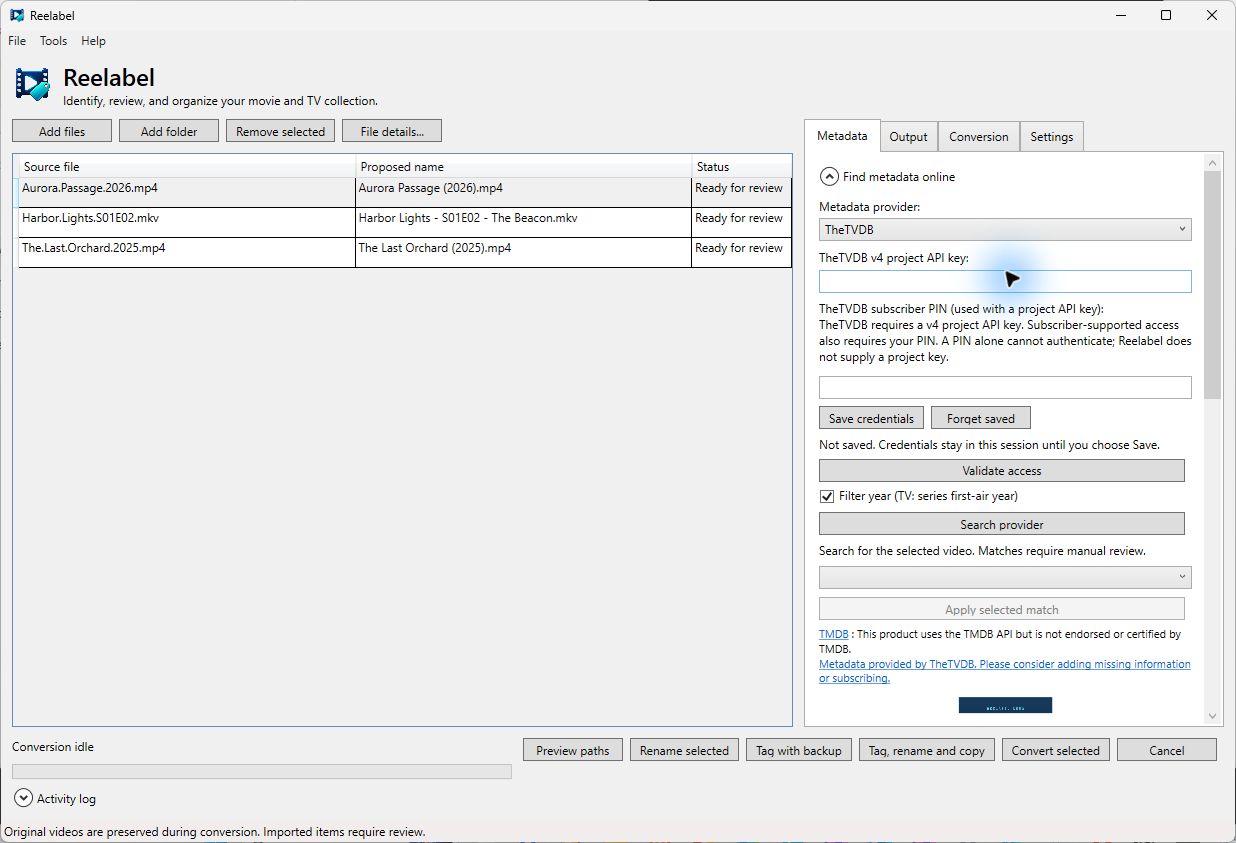
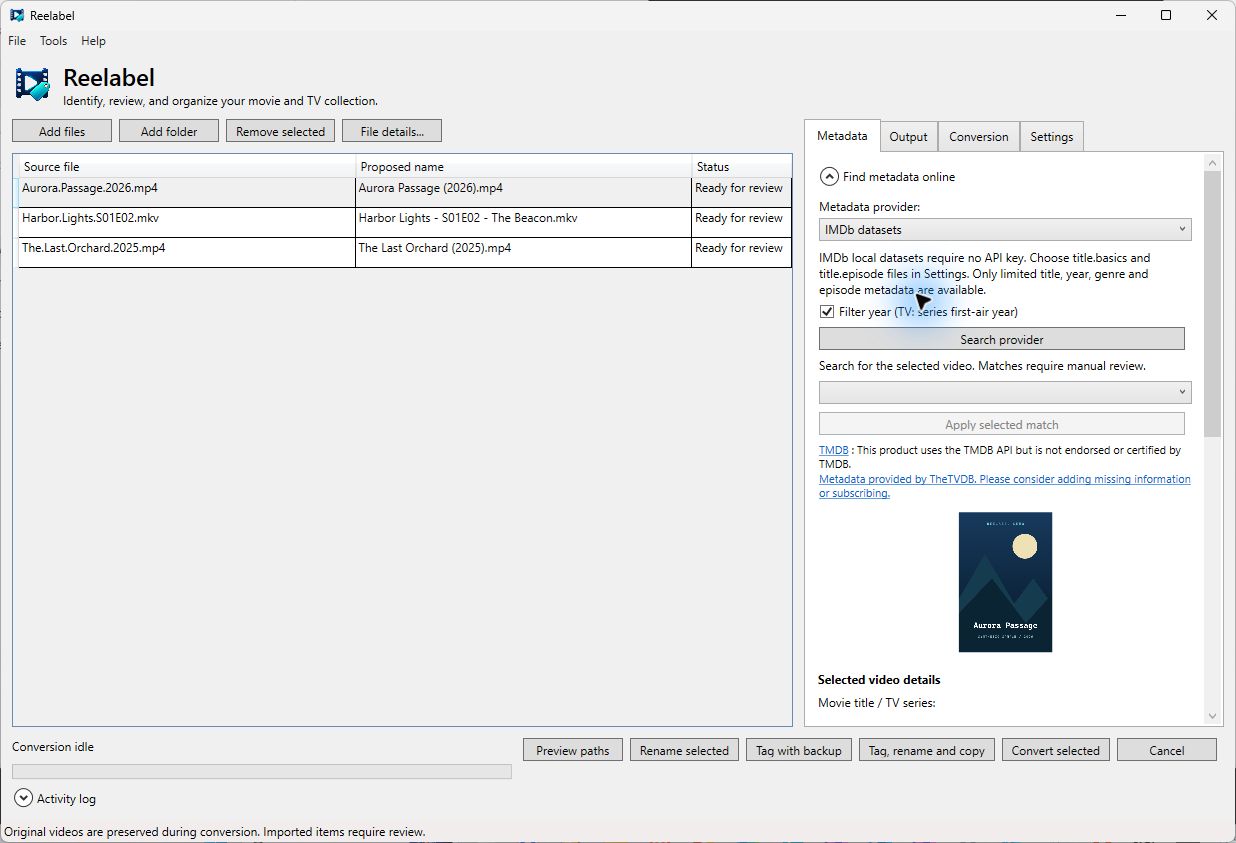
TheTVDB needs a project API key; a subscriber PIN supplements it. IMDb uses local non-commercial datasets. See Metadata for setup.
Naming profile editor
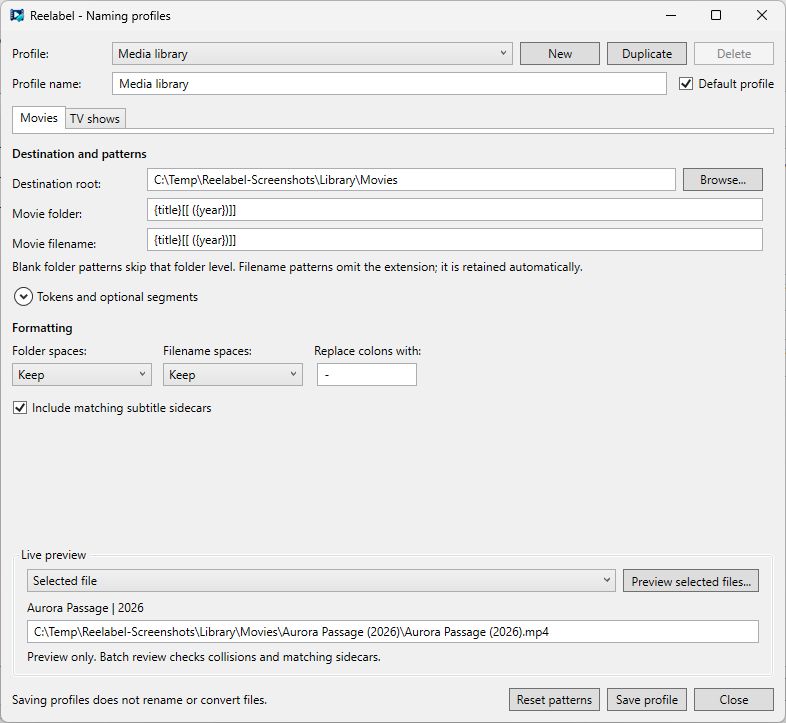
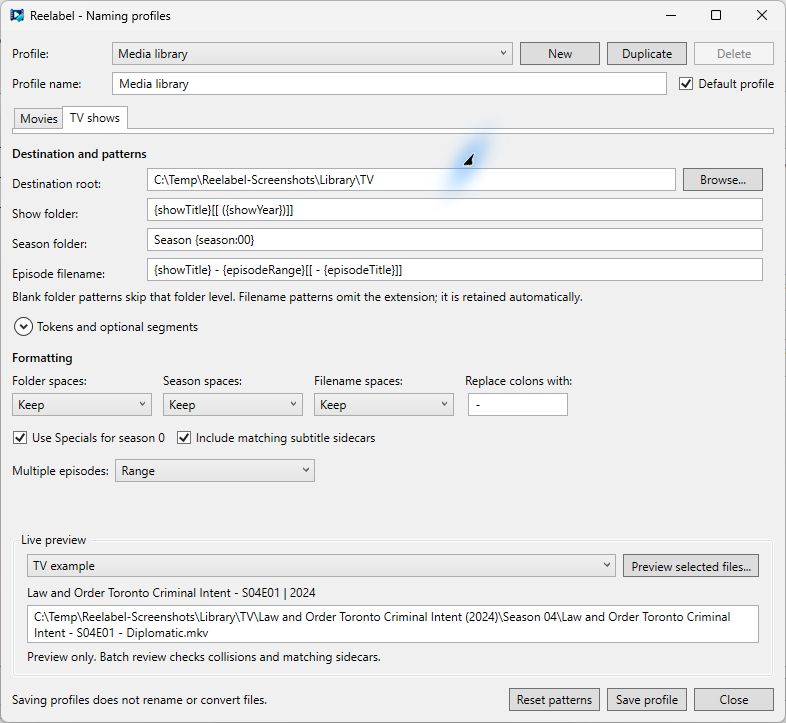
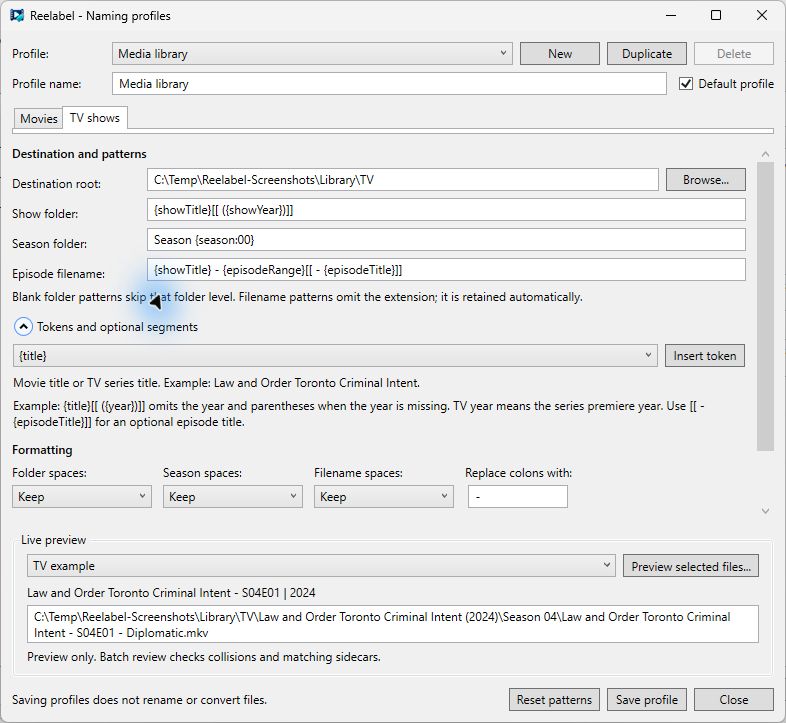
Output > Naming profiles... manages named profiles, separate Movies and TV shows roots and patterns, replacements, and live examples. The token helper explains available fields. Preview selected files opens the complete path review. See Naming profiles.
Encoding preset editor and preview
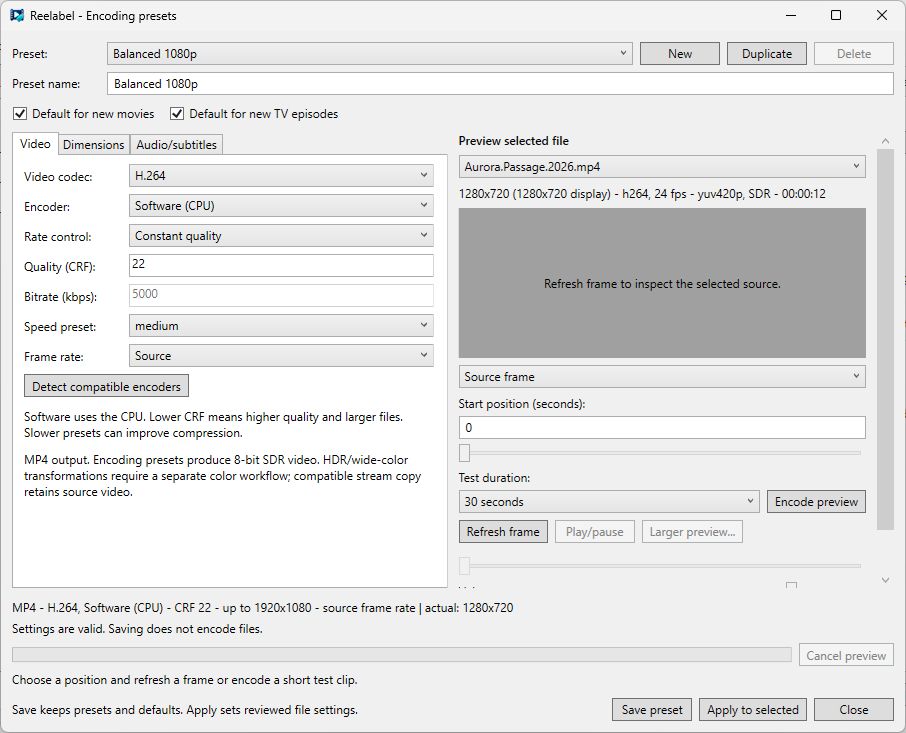
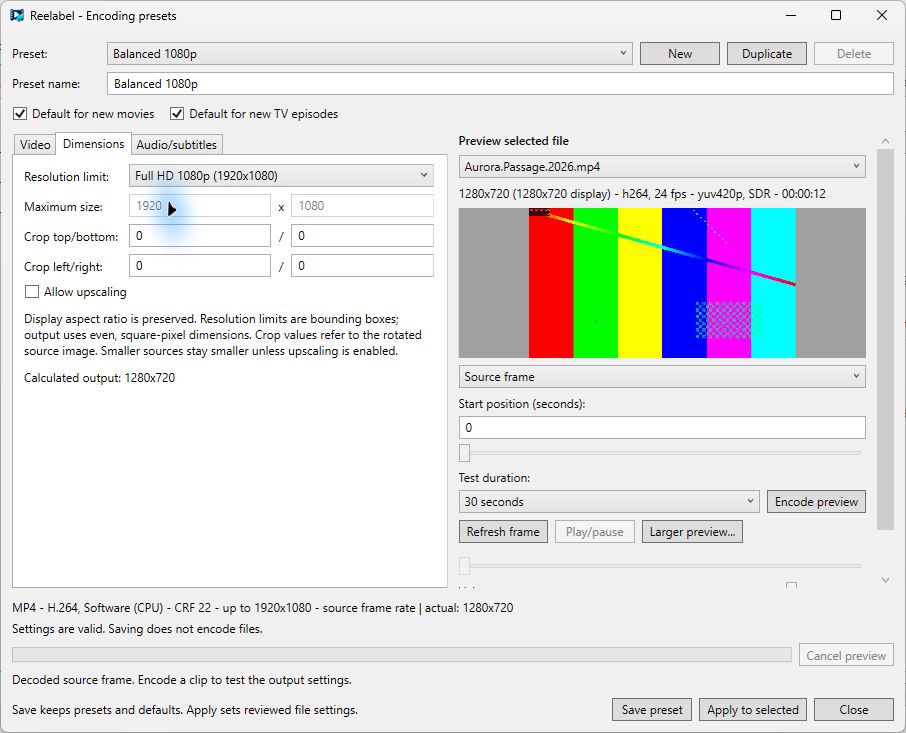
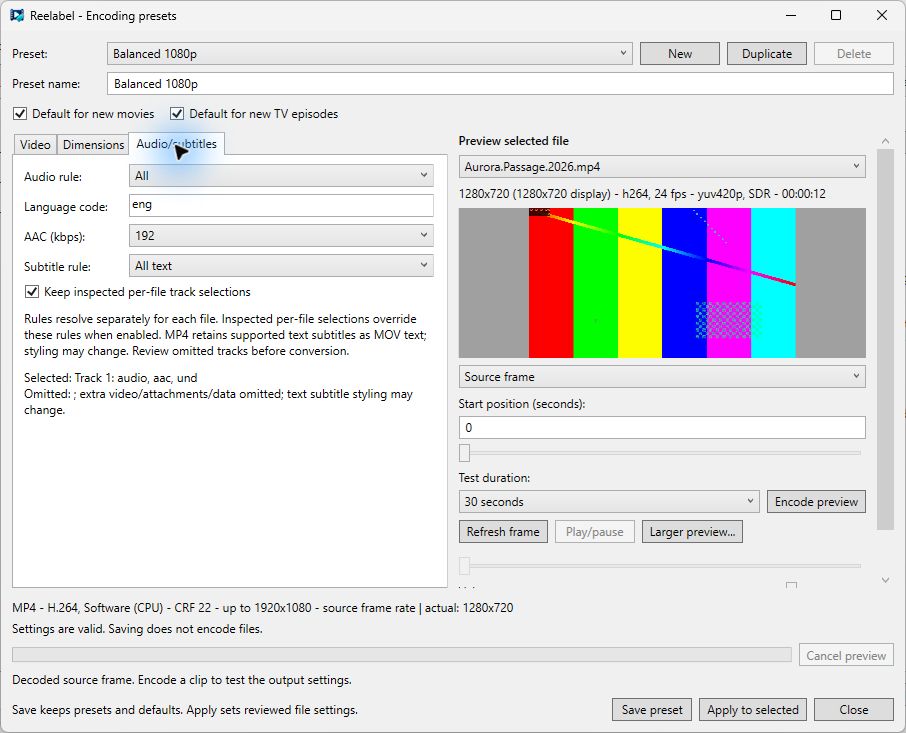
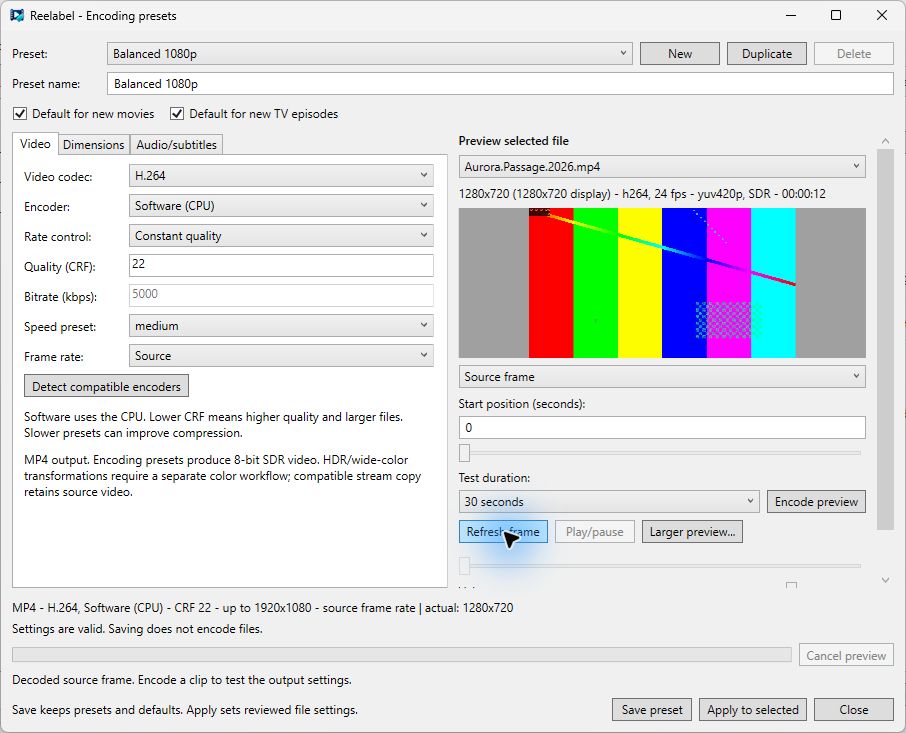
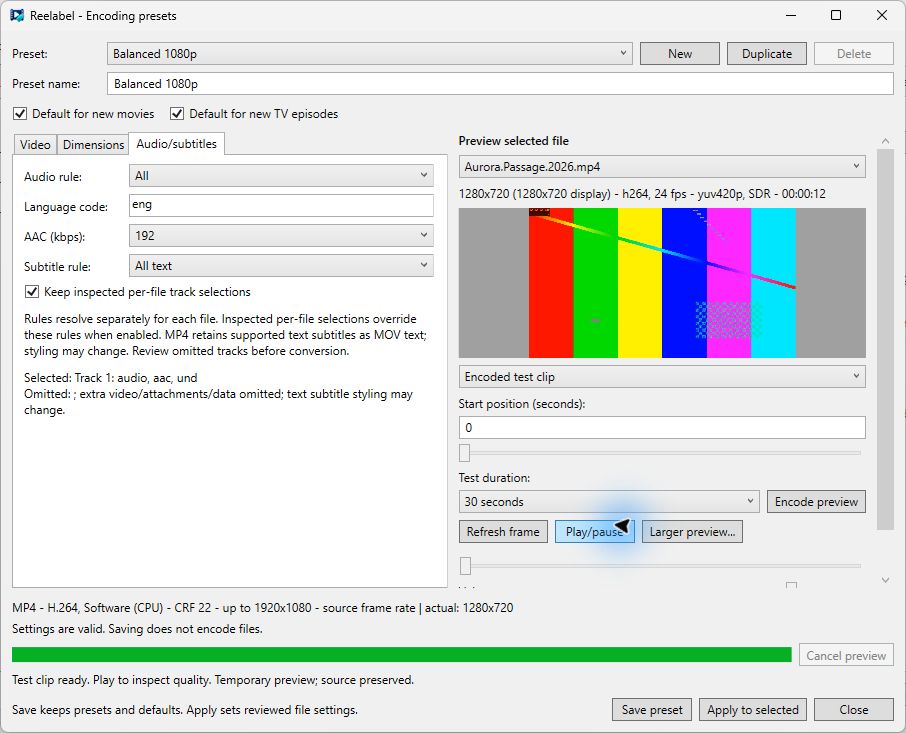
Conversion > Encoding presets... manages saved presets and movie/TV defaults. Video controls codec, encoder, quality/bitrate, speed, and frame rate. Dimensions controls resolution bounds and manual crop. Audio/subtitles sets track rules. The preview area provides real source or processed stills and short test encodes.
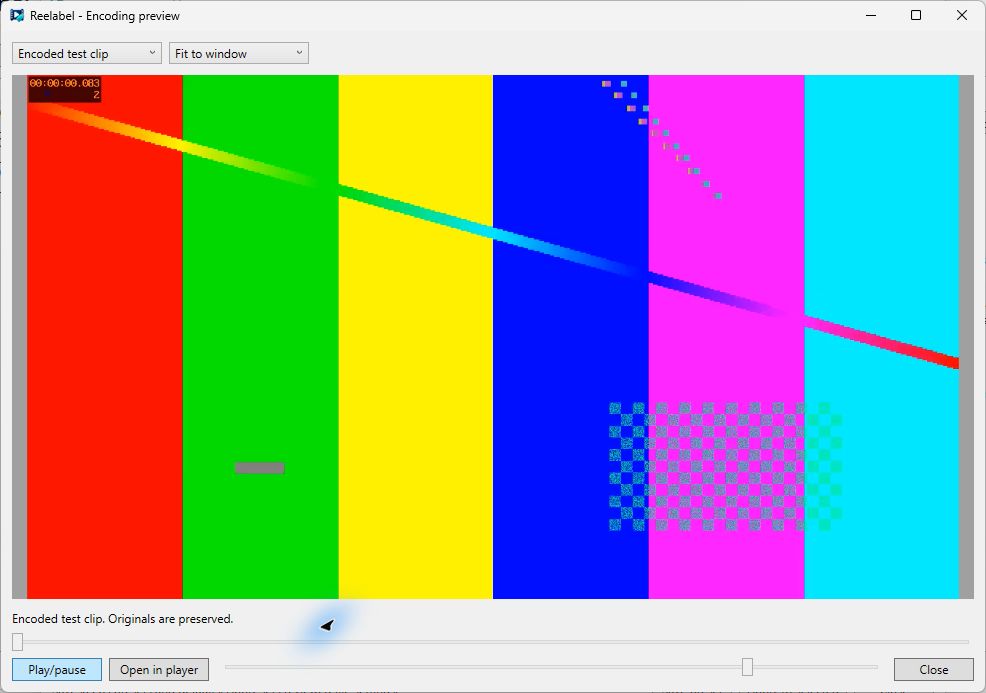
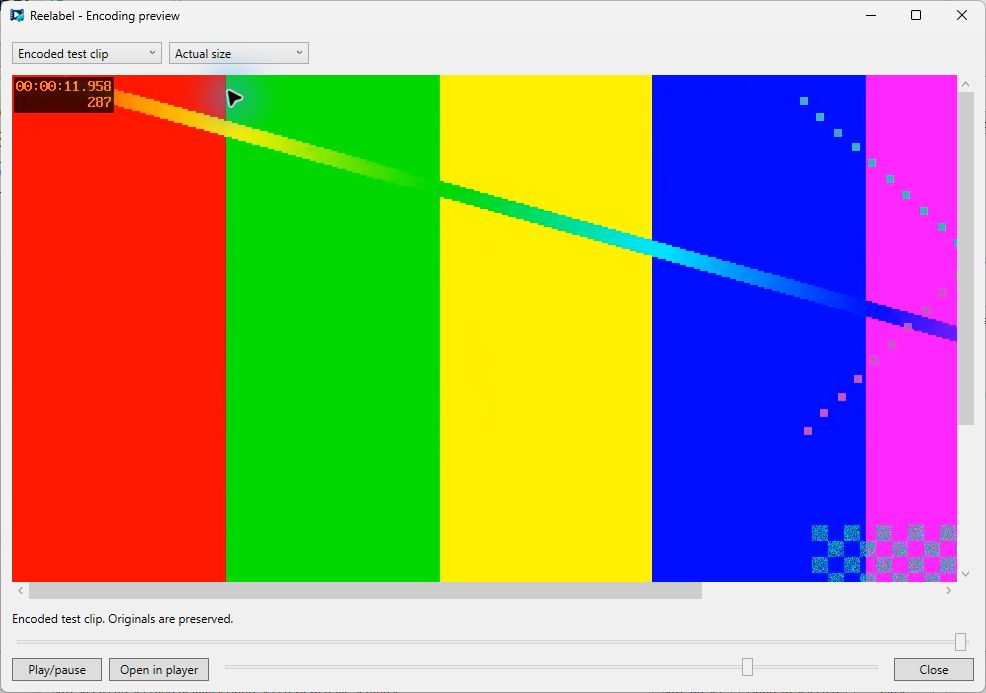
Larger preview supports source video, encoded clip, and still-frame views, fit or actual-size viewing, playback, seeking, and volume. The external-player option handles clips Windows cannot decode. See Encoding.
Batch reviews and history
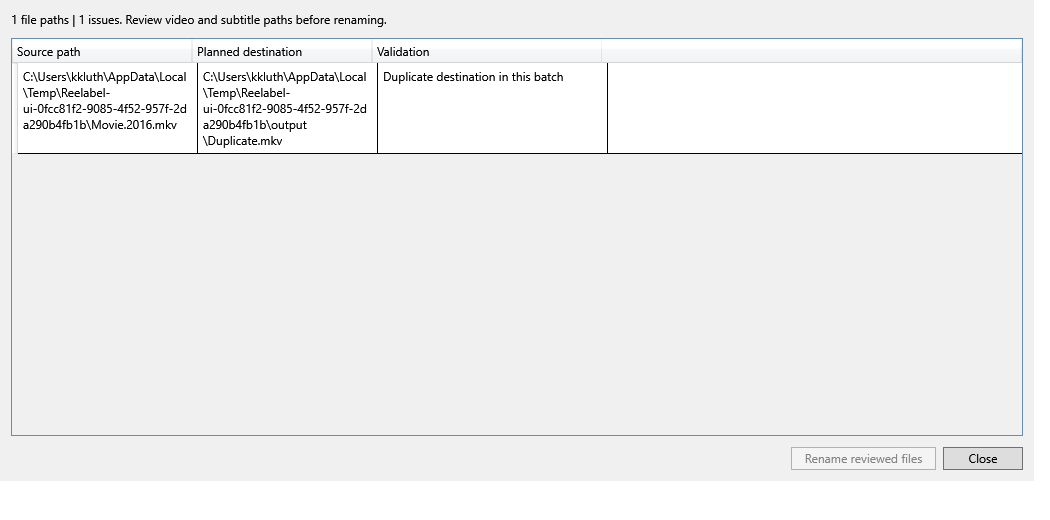
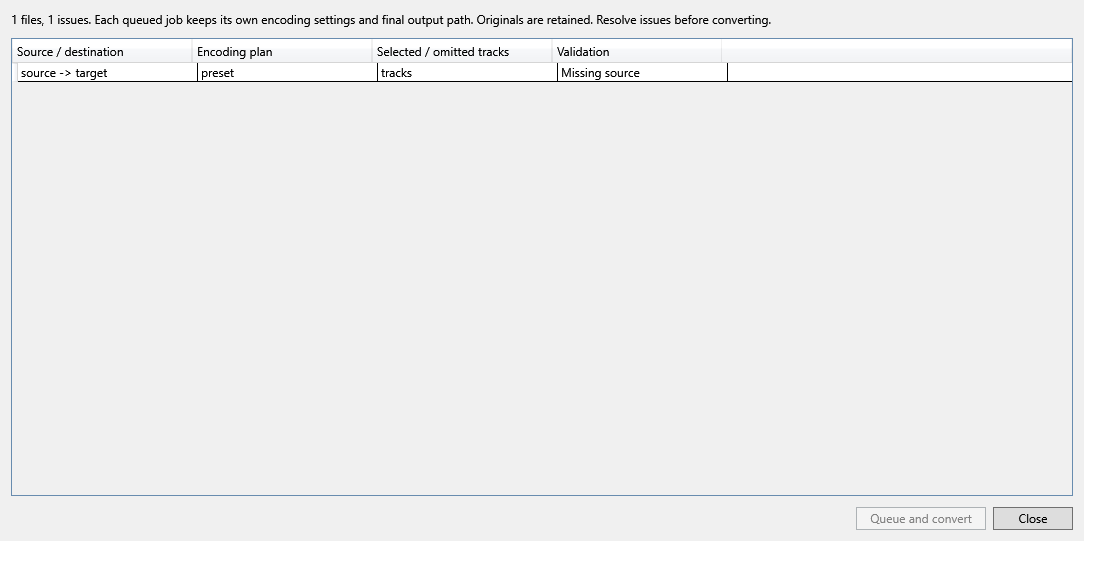
The two invalid reviews above are deliberate WPF UI-check fixtures.
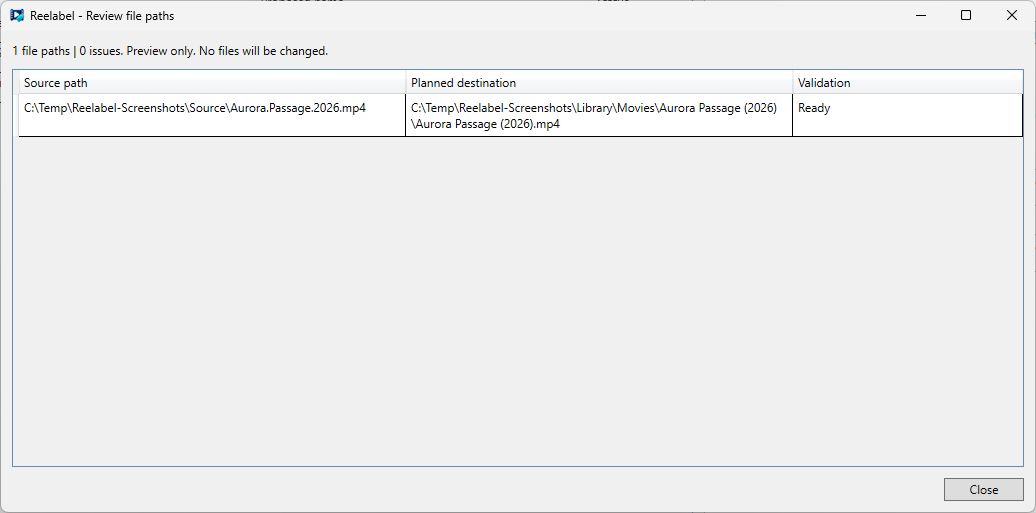
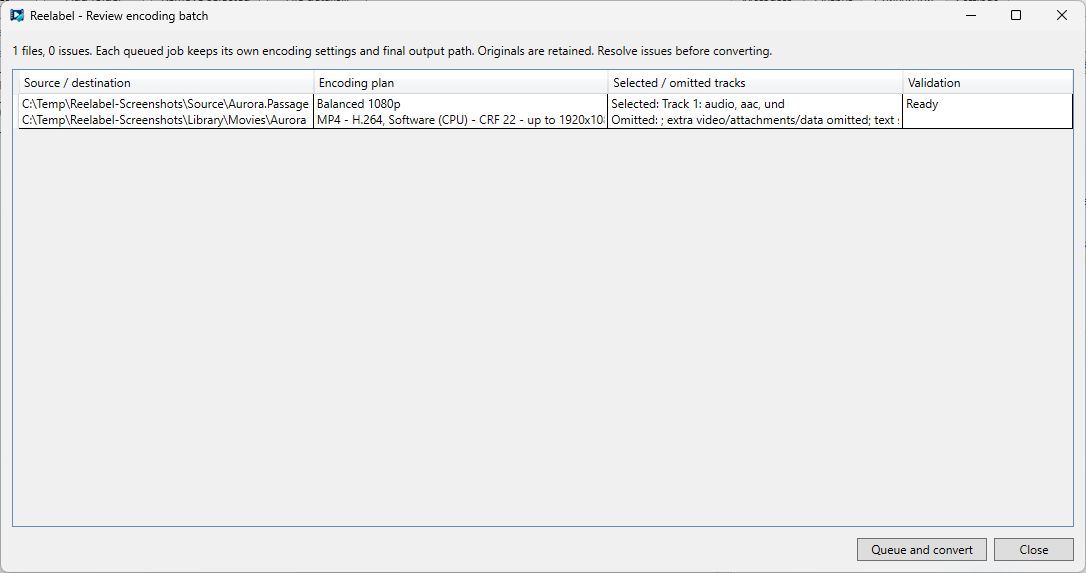
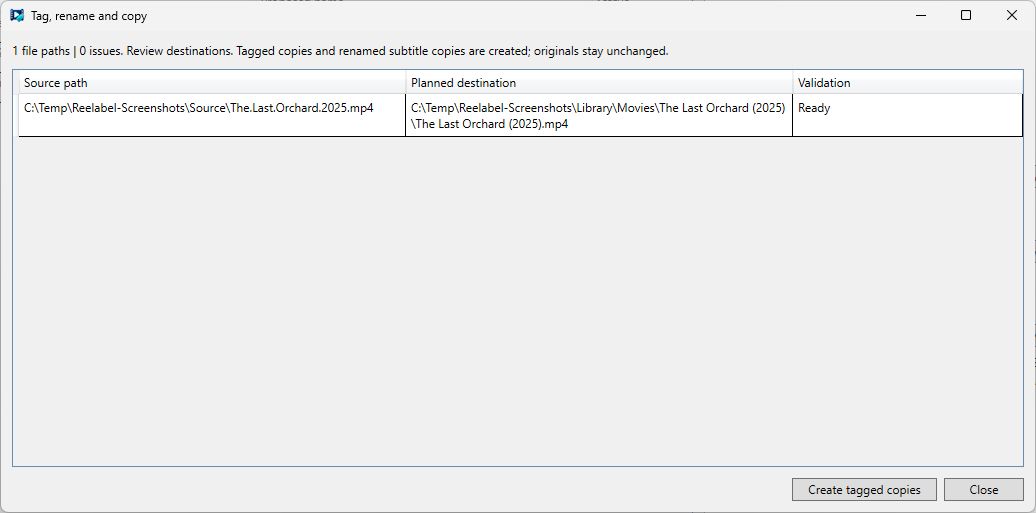
Preview paths reviews names without mutations. Rename and tagged-copy reviews include full source/destination paths and sidecars. Review encoding batch includes actual dimensions, selected/omitted tracks, and validation errors. Confirmation remains disabled when planning fails.
Tools > View queue/history shows conversion work. Settings > Copy history shows combined tagged-copy work. Retry and backup recovery remain explicit actions after restart.
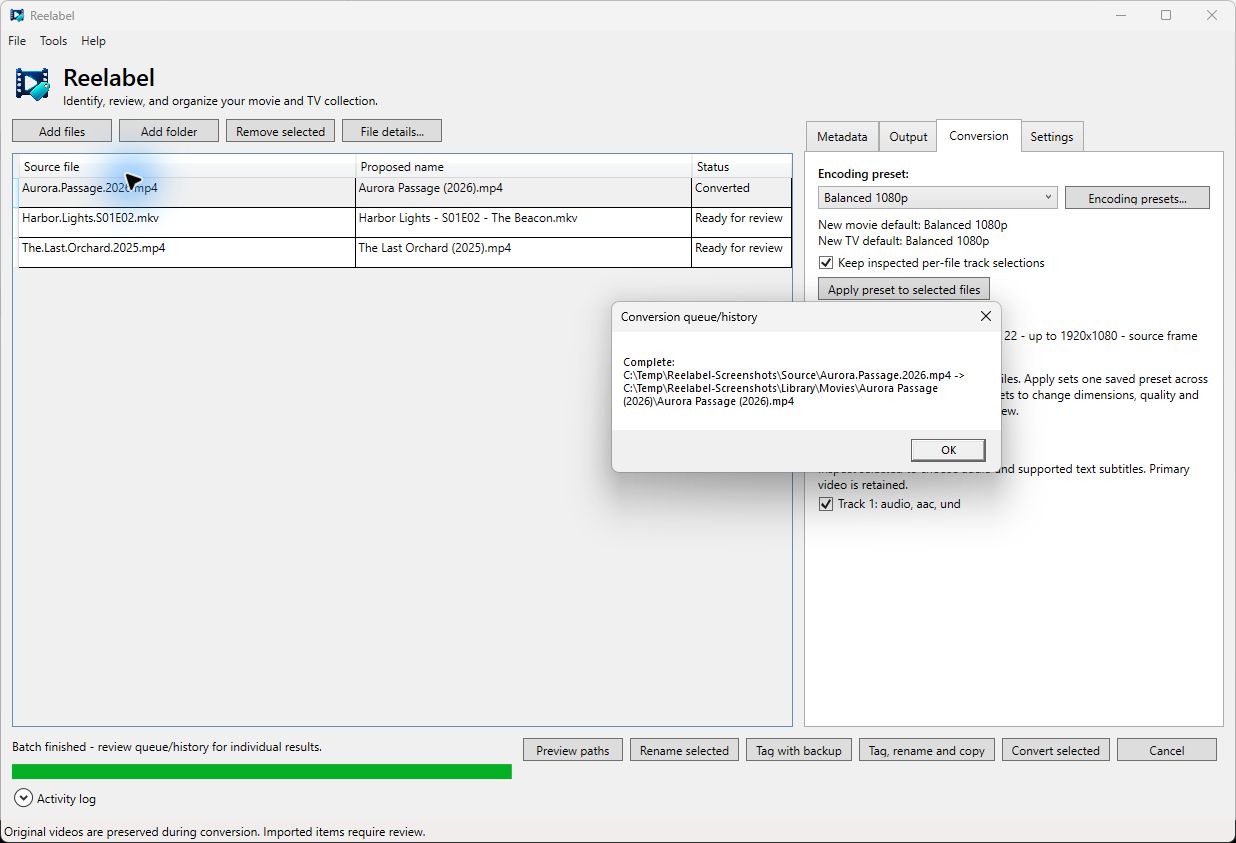
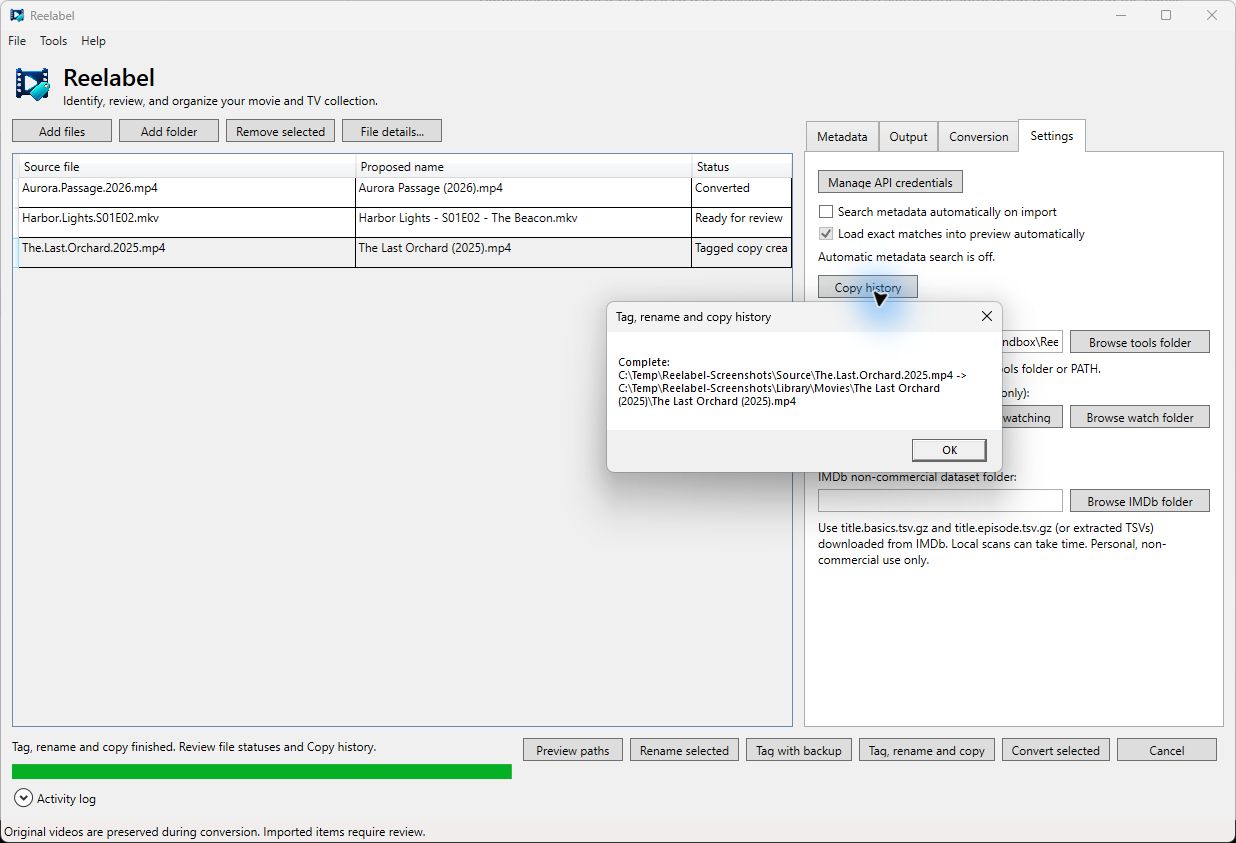
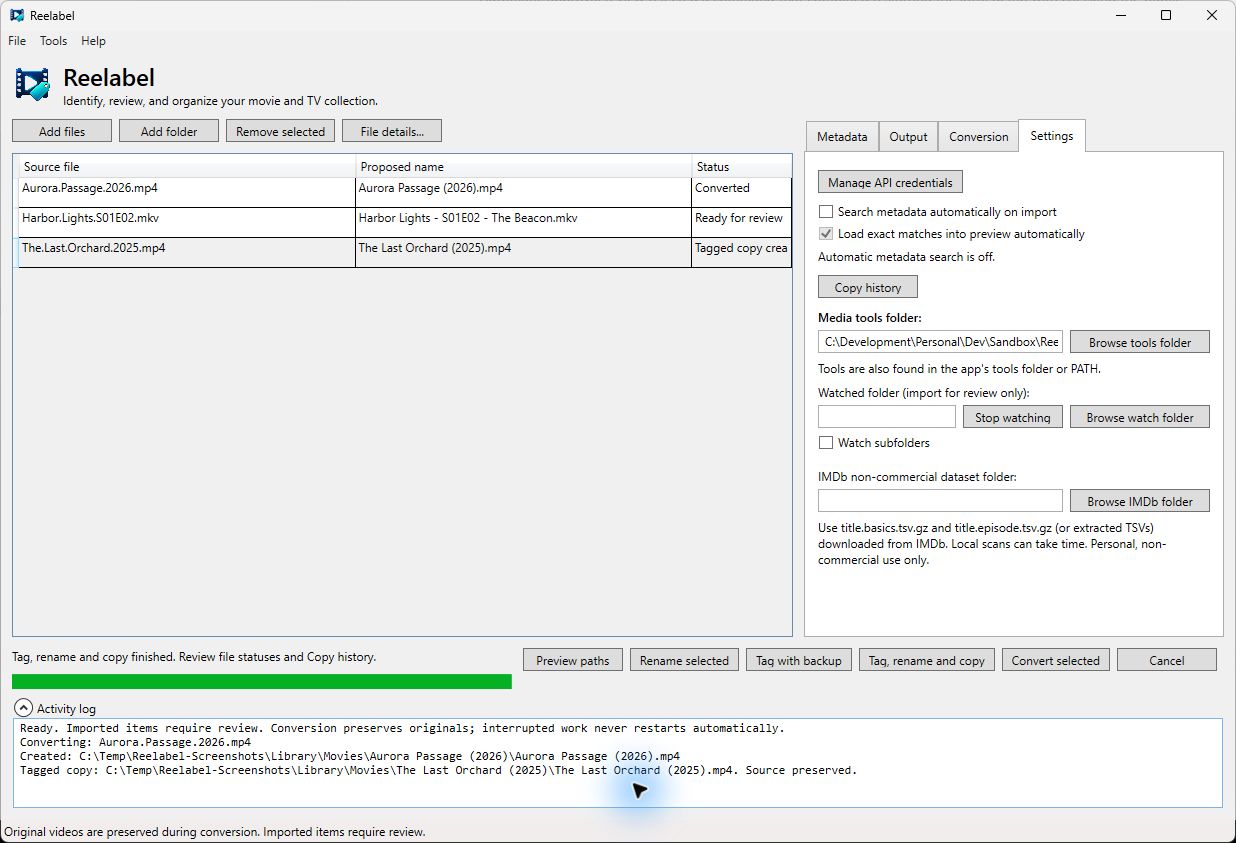
Completed records come from real operations on the disposable samples. Original video/subtitle hashes remained unchanged after conversion and tagged copying. Recovery/retry commands are shown in Tools; these captures do not simulate interrupted work or changed-source recovery.